Skip to content
cassi.aiSynthetic Simulator
Request access

Synthetic personas in a virtual world built for your study

Your consumers, rebuilt as synthetic personas, inside a virtual copy of the place where they decide. Walk in and ask.

Synthetic Vertical Simulator is a 2D social simulator. The personas inside it are your consumers, rebuilt through context engineering: each one receives the material you provide, such as past studies, segmentations, interview transcripts and CRM signals when allowed, and answers from that material. You can talk to every avatar and ask about purchase routines, preferences and how it reacts to a concept. Personas walk through a mall, a supermarket, a dealership, a beach, a plaza and an office, talk in speech bubbles and reply to each other in small groups. Any other environment your study needs can be built, and the discussion can take many shapes: a one-to-one interview, a group debate, a concept test, a shelf walk-through. The demo today ships with nine personas in four generational clusters as an example.

Illustrative data. The scenes play on their own.

01 The work

The decision happens in a place. The study usually happens somewhere else.

Innovation, insights and research teams want to hear their consumers inside the store, the branch or the showroom, about the concept on the table, before the real visit. The consumer is in a survey. The place is on a slide.

Topic

Hearing your consumers inside the place where they decide

A new concept, a shelf, a showroom, a service counter. The team wants to ask its own consumers what they would do there, why they stop, what they compare, what they would say to the clerk. Ask them there, in the environment, and ask again when the concept changes.

How it is done today

The consumer in a questionnaire, the place on a slide

The team asks a panel what it would do, in a survey, or sends someone to observe the store for a day. The past studies, the segmentations and the transcripts sit in a folder. Nobody brings that material back into the room when the next concept arrives.

The pain

The data the company already has does not answer the new questions

Three years of studies describe the consumer in detail. When the team needs to know how that consumer would react to a new format in a new environment, the studies stay silent and a new round of fieldwork becomes the only way to ask.

Where Cassi.ai comes in

Your consumers rebuilt as synthetic personas, in a virtual copy of the place

Through context engineering, each persona receives your studies, segmentations and transcripts as context and answers from that material. Put the personas in a mall, a supermarket, a dealership or in any environment built for your study, and talk to every one of them. Everything on screen is labeled synthetic.

A simulator earns its place between the studies. The team brings the data it already has back into the room, in the environment where the decision happens, and asks the next question before the next fieldwork.

02 Methodologies

Six ways to run a session. You ask, the persona answers in context.

Each methodology below is a conversation with one persona or with a cluster, inside the world. Nothing is scored automatically. You read what they say.

"What is this persona's purchase routine?"

One-to-one interviewin context

Open a chat with one persona, in the world or in the Persona Lab, and ask about purchase routines, preferences, brands she trusts and what she never does. She answers from the material she was built on, with her own drivers and tensions. The exchange stays in the transcript feed.

"How does the cluster argue about this?"

Group debatepersonas in the world

Bring a stimulus to a group of personas and watch them reply to each other in speech bubbles, using the last lines as context. Then step in and ask the group where they disagree. It works as a small focus group inside the environment.

"Does the concept land?"

Concept and message testshow and ask

Present a concept, a claim or a message to each persona and ask what she understood, what she doubts and what would make her try it. Read the reactions across clusters in the feed. Change the message and ask again in the same session.

"Which zone attracts which cluster?"

Shelf or showroom walk-throughzone by zone

Walk the environment with your avatar and observe where each cluster goes: the promotion at the entrance, the aisle, the sales desk, the checkout. Stop next to a persona and ask why she stopped there and what she compared before moving on.

"Where does she hesitate?"

Journey and friction observationstop by stop

Follow one persona through the activities of the environment: entering, comparing, queuing, asking staff, paying. At each stop, ask what she is thinking and what would make her leave. The transcript keeps the sequence with timestamps.

"What if the price changes?"

Scenario explorationconversation with the cluster

Run a what-if as a conversation: the price goes up, the store is out of stock, a new format replaces the old one, the branch closes and becomes an app. Ask the cluster how it would react and compare the answers. The scenario lives in the question, and the persona answers from her profile.

03 Worlds

Six worlds ready. The next one is yours.

Each world is a complete environment: a map with zones, the activities that happen in each zone, and the personas that walk through it. A concept test, a focus group or a shelf walk-through runs inside it. A project can use a world as it is, adapt it to the client's layout, or commission a new one.

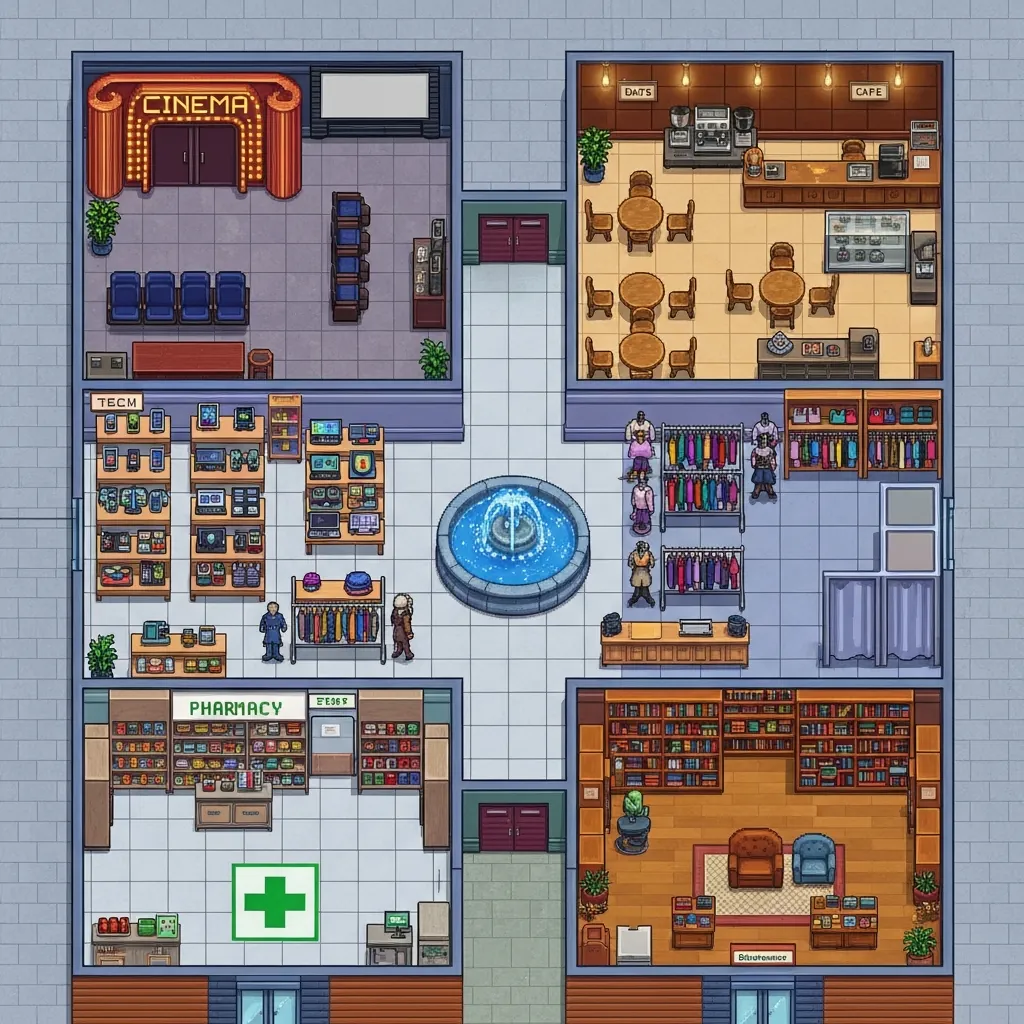
Map of the world Shopping MallWORLD 01

Shopping Mall

A mall with stores across categories, a food court and a cinema.

Zones
Food court, clothing store, tech store, cinema, pharmacy, bookstore, central corridor.
Activities
Browsing, comparing, queuing, eating, meeting friends.
Good for
Brand choice across categories, window and storefront tests, leisure-and-purchase behavior.
Personas
Place the clusters that shop for leisure and the ones that shop with a list. Both cross the central corridor.
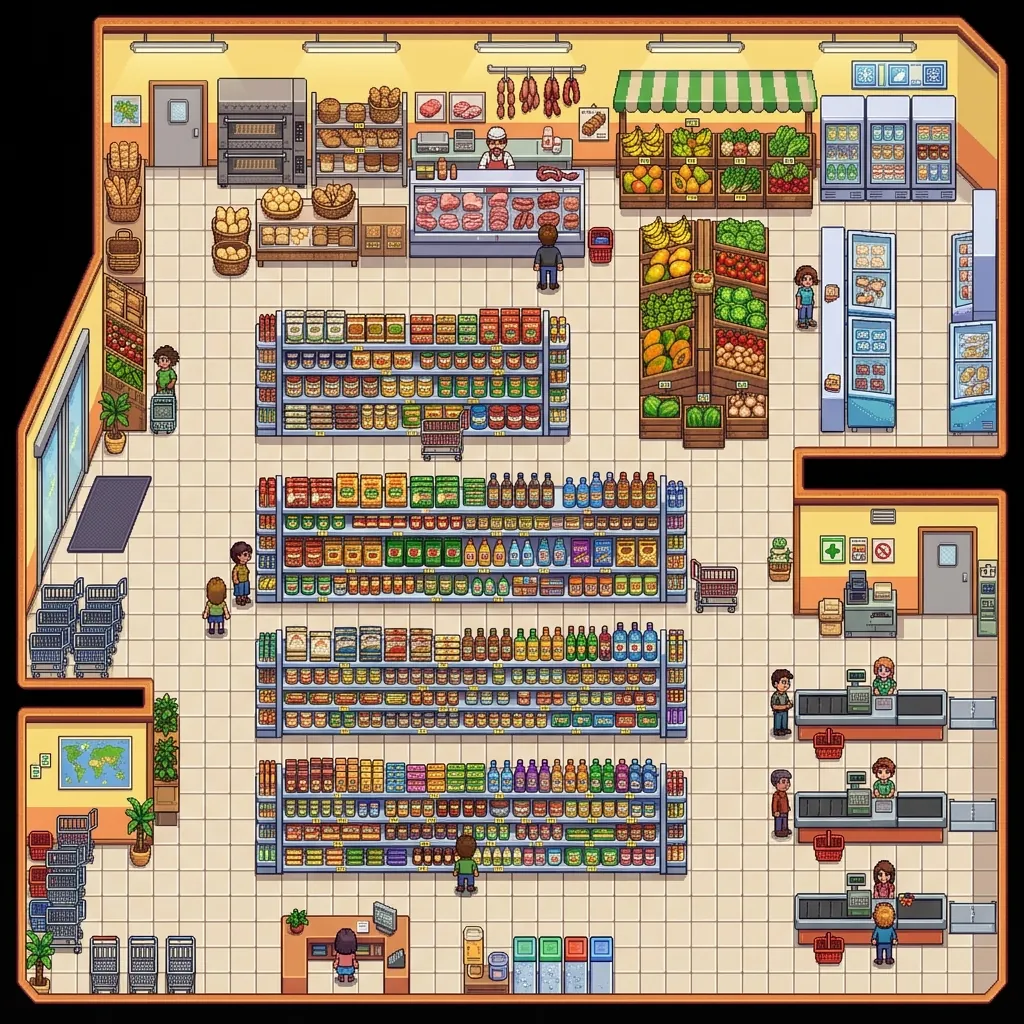
Map of the world SupermarketWORLD 02

Supermarket

A neighborhood supermarket, from the produce section to the checkout.

Zones
Produce, bakery, butcher, aisles, checkouts.
Activities
List shopping, shelf comparison, substitution when out of stock, checkout queue.
Good for
Packaging and price on the shelf, category adjacency, promotions.
Personas
Place the household buyer of each cluster. The shelf question changes with the person who pays and the person who chooses.
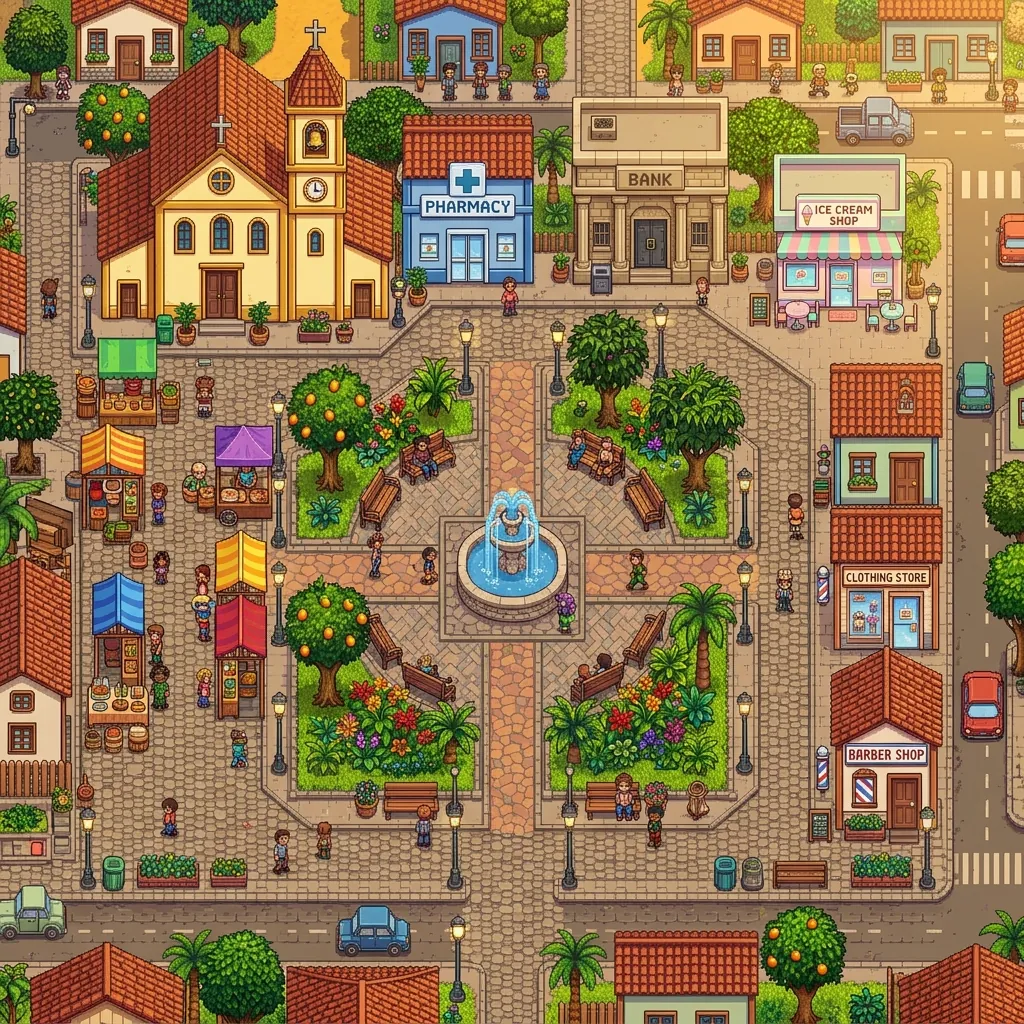
Map of the world Town PlazaWORLD 03

Town Plaza

A public square with a fountain, gardens, a café and a bandstand.

Zones
Fountain, two gardens, café, bandstand.
Activities
Strolling, sitting, socializing, street vendors.
Good for
Public-space and brand-activation ideas, out-of-home messages, community conversations.
Personas
Place the clusters that share the neighborhood. The plaza is where they talk to each other.
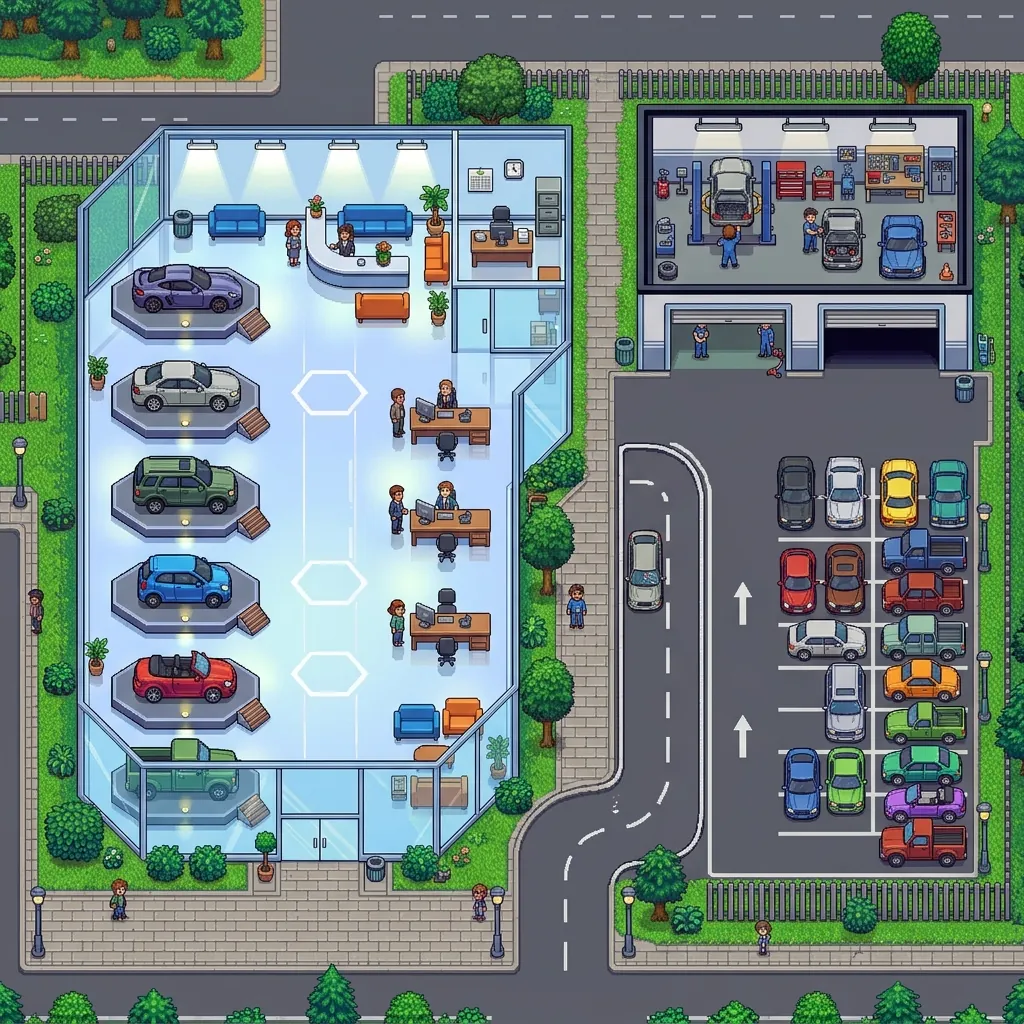
Map of the world Car DealershipWORLD 04

Car Dealership

A showroom with sales desks and a waiting lounge.

Zones
Showroom, sales desks, waiting lounge.
Activities
Looking at models, asking staff, waiting, negotiating.
Good for
High-consideration purchases, sales script and showroom layout, trade-in and financing messages.
Personas
Place the buyer and the influencer of the purchase, by cluster. The negotiation reads differently for each.
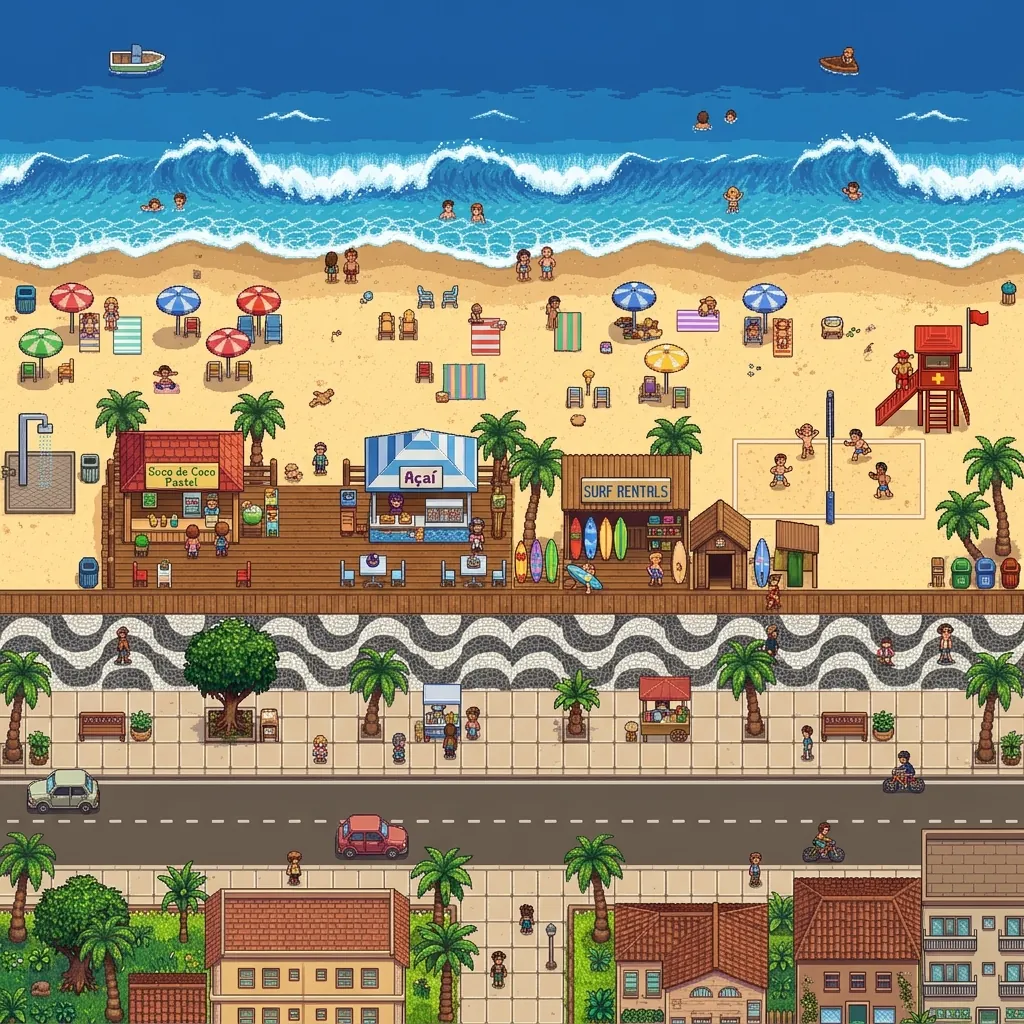
Map of the world BeachWORLD 05

Beach

An urban beach with a boardwalk and kiosks.

Zones
Sand, sea, boardwalk, kiosks.
Activities
Leisure, kiosk buying, sports, walking the boardwalk.
Good for
Seasonal products, impulse buying, drinks and snacks, sun-care.
Personas
Place the clusters that spend the day there. The kiosk question is about impulse and habit.
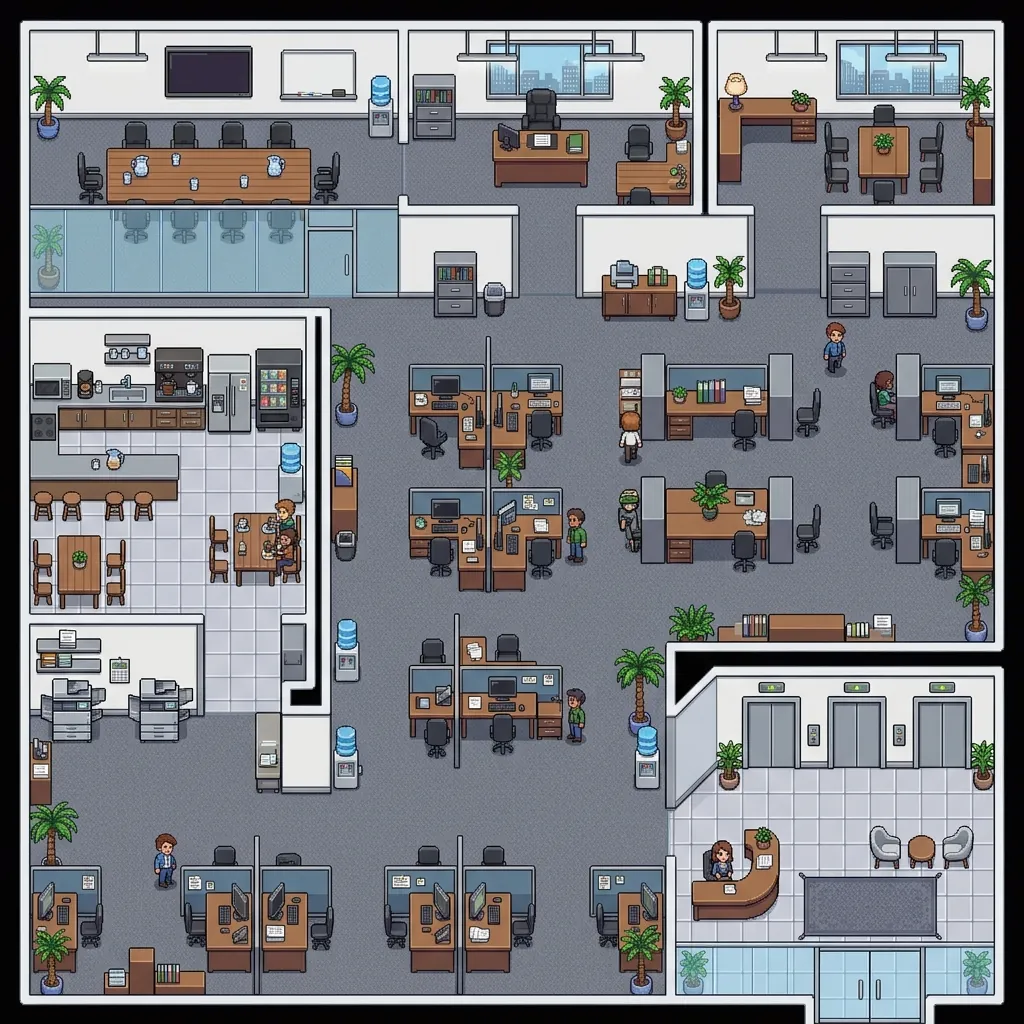
Map of the world OfficeWORLD 06

Office

An open-plan office floor with meeting rooms and a kitchen.

Zones
Workstations, meeting rooms, kitchen, reception.
Activities
Work, meetings, coffee breaks, deliveries.
Good for
B2B and workplace products, employee-experience studies, corporate services.
Personas
Here the personas are roles: the buyer, the user and the approver.

New worlds

Any environment the market research needs can be built as a world, with the same zones, activities and personas. Some examples of what the team builds for a project:

  • Pharmacy
  • Bank branch
  • Airport
  • Gym
  • School
  • Restaurant
  • Hospital waiting room
  • E-commerce checkout
  • Home: kitchen and living room
  • Bus terminal
  • Stadium
  • Hotel lobby

How a world is made

  1. The map

    Drawn to the client's brief. If the client provides the real store layout, the map follows it, aisle by aisle.

  2. Zones and activities

    Each zone gets the activities that happen there: browsing, comparing, queuing, asking staff, paying. They define what the personas do and what you can ask at each stop.

  3. Personas by cluster

    The personas built from the client's data are placed in the zones where each cluster belongs, in the mix the study needs.

  4. Stimuli

    A promotion, a new pack, an out-of-stock, a new sign. Each stimulus goes into the world and the personas react to it in context, as in a concept test.

Commission a world

04 Method

Six steps, from the vertical to the next version of the concept.

A project starts with the vertical and the environment, then builds the personas from the client's data. The simulator runs in the browser, in English or Portuguese.

  1. 01

    Choose or design the vertical and the environment

    Mall, supermarket, plaza, dealership, beach and office are ready. Any other environment the client cares about can be built for the study: a pharmacy, a bank branch, an airport, a gym, a school, a restaurant, an e-commerce checkout, a home. Every environment and every activity the client is interested in can be replicated in the virtual world with the synthetic personas.

    Six worlds ready today. New ones are built per project.

  2. 02

    Define the activities that happen there

    Buying, comparing, queuing, asking staff, browsing, socializing, waiting. The activities set what the personas do in each zone and what you can ask about at each stop.

    Activities appear in the live feed as they happen.

  3. 03

    Build the personas from the client's data

    This is context engineering: each persona receives the client's material as context, such as past studies, segmentations, interview transcripts and CRM signals when allowed, so the answer comes out of that material instead of the internet average. Every profile can be opened, edited and cloned in the Persona Lab.

    Client data stays isolated, per project.

  4. 04

    Run the sessions: walk, talk, test

    Pick the methodology the question needs: a one-to-one interview, a group debate, a concept test, a walk-through, a journey observation or a what-if scenario. Personas walk, talk in bubbles and answer your chat.

    Everything on screen is labeled synthetic.

  5. 05

    Read the feed and the transcripts

    The Insights screen keeps every line with a timestamp, the current activities, the activity by cluster and the patterns detected. The team reads it together.

    Fieldwork stays in the plan for what needs a real sample.

  6. 06

    Iterate the concept

    Change the message, the price, the layout or the format and ask again, in the same environment, to the same personas. Keep the version that held up and take it to the real study.

    Each round stays in the transcript, so the team can compare versions.

05 What is behind it

Numbers of the demo, stated with their scope.

Each number below describes what the demo has today. A project builds its own worlds and personas. None of these is a promise about your result.

6worlds ready in the demo, from the mall to the office
9personas in the demo, each with a written profile
4example clusters in the demo: Gen Z, Millennial, Gen X, Boomer
4language-model providers to choose from

What it never does

  • Never presents a synthetic reaction as a real consumer's reaction. Every line on screen is labeled synthetic.
  • Never replaces fieldwork. It serves the questions that come before or between real studies, and it helps the team decide what goes to field.
  • Never runs a project on personas invented from nothing. In a project, the personas are grounded in the client's own data, through context engineering.
  • Never mixes one client's data with another's. Each project's material is isolated, and your language-model keys stay in the server's memory only during the session.
  • Never promises an automated metric that is not on screen. Today the simulator shows the transcript feed, the activities by cluster and the detected patterns. You read the answers. Nothing is scored for you.

Who it is for

  • Innovation teams
  • Insights teams
  • Research firms
  • Retail
  • Automotive
  • Financial services
  • Consumer goods

For the teams that already hold studies, segmentations and transcripts about their consumers and want to bring that knowledge back into the room, in the environment where the decision happens, before the next round of fieldwork.

06 Questions

Questions and answers

What is Synthetic Vertical Simulator?

Synthetic Vertical Simulator is a Cassi.ai product for market research. It is a 2D social simulator, built like a pixel-art game, where the client's consumers, rebuilt as synthetic personas, walk through a virtual copy of the environment where the decision happens, talk in speech bubbles written by a language model, reply to each other in small groups and answer the researcher in a direct chat.

Can I talk to any persona?

Yes. Approach any persona in the world with your avatar, or open her card in the Persona Lab, and start a chat. Ask about purchase routines, preferences, brands she trusts, what she would do in front of a concept. She answers in her own voice, with the drivers, the inner tension and the taboos of her profile. The exchange stays in the transcript feed with a timestamp.

What data do the personas come from?

From the client. In a project, the company provides the material it already holds about its consumers: past studies, segmentations, transcripts of interviews and groups, CRM signals when allowed. That material becomes the context of each persona. In the demo, the nine personas have example profiles, in four generational clusters. Project profiles are built the same way Synthetic Lab builds its personas: https://syntheticlab.cassiai.com/

What is context engineering?

It is the work of choosing and organizing the material a persona receives before answering. Instead of asking a language model what 'a class B mother' would say, the persona receives as context the studies, segmentations and transcripts the client provided, and the answer comes out of that material. Without that context, the answer would come from the internet average. With it, the answer comes from what the company already knows about that consumer.

Can you build an environment that does not exist yet?

Yes. Six worlds come ready: mall, supermarket, plaza, dealership, beach and office. Any other environment the client cares about can be built for the study: a pharmacy, a bank branch, an airport, a gym, a school, a restaurant, an e-commerce checkout, a home. That includes a space still on the drawing board, such as a store format the company wants to test before opening it. The activities of that place, such as buying, comparing, queuing and asking staff, are replicated with it.

What kinds of discussion can I run?

The discussion takes the shape the question needs. A one-to-one interview with a persona in context. A group of personas debating a stimulus, like a small focus group. A concept and message test, showing and asking. A shelf, store or showroom walk-through, zone by zone. A journey and friction observation, stop by stop. A scenario exploration, such as a price change or a stock-out, run as a conversation with the cluster. In all of them, you ask and the persona answers from her profile.

Does it replace fieldwork?

No. It is a simulation environment. It serves the questions that come before or between real studies, and it helps the team choose what deserves a real visit or a real sample. When a decision needs a real sample, the study goes to field.

Is my data isolated, and is the output labeled synthetic?

Yes on both counts. Each project's material is kept apart from any other client's, and the language-model keys stay only in the server's memory during the session. Every line on screen is labeled synthetic, and the simulator shows only what exists today: the transcript feed, the activities by cluster and the detected patterns. Heat maps, exports and reports are project work, agreed case by case.
Bring the environment and the data.

Tell us the place where the decision happens and what you already know about your consumers: studies, segmentations, transcripts. We build the personas and the world and show the first session running.

It goes straight to the Cassi.ai team and is not added to any mailing list.